
UniKey-TS3
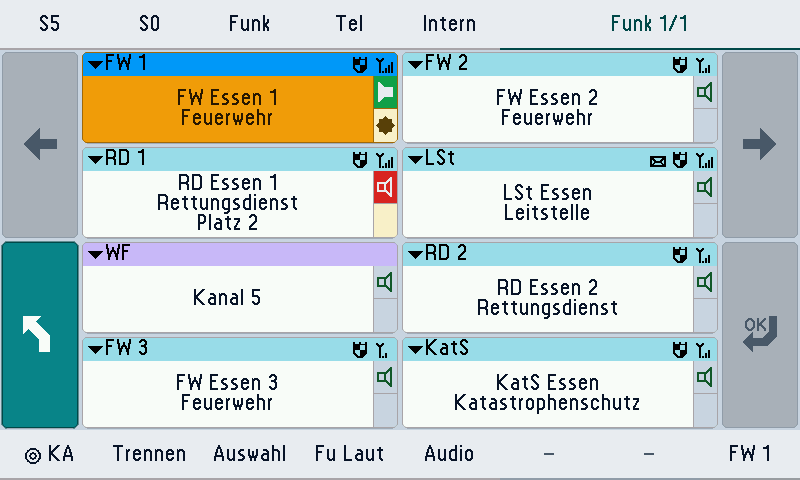
7″ touch desk unit
Radio lines as tiles, PTT, loudspeaker and headset in one device, for desk and vehicle.
- Several radio lines in parallel
- Foot switch
- Fixed menu pattern
Radio connection · analogue · DMR · TETRA · network
From the FuG 8/9 to Motorola Dimetra: we connect your radios and operate them from one workplace – on the touch desk unit, on the monitor or in the vehicle. Analogue and digital, on the device and on the network, with the same operation.
At the workplace every radio is a radio line with its functions. Which of them your radio system offers is shown by the system selector below.
Choose your system to see devices, connection and functions in one place. At the workstation, every system appears as the same kind of radio line.
No entry found. Tell us the maker and type: we will check the connection. Have the connection checked
Classic voice radio, fully operated from the workstation: channel selection, mode, squelch and relay function.
Analogue radio with control head from Bosch, Motorola or SEL: channel selection with band and mode, FMS and tone calls.
Analogue radio with control head from AEG/Telefunken, operated like any other FuG at the workstation.
Analogue radio with control head from Ascom/Pfitzner, operated like any other FuG at the workstation.
Maker-neutral: any radio with audio and a push-to-talk line can be connected for listening and talking, without channel switching. via Audio/PTT radio card · Radio connection cables and active cables
Audio, push-to-talk, squelch and control signals, also for FMS and tone calls.
Radio connection for six radios that controls the control head through active cables, without elaborate individual wiring.
Connects the FuG 8/9 control head, MOTOTRBO and DM devices to the system.
* Line function: the REICHERT controller also provides it on a higher level and partly independent of the radio technology of the individual line. The table shows what the radio system itself offers.
Not available: Group change and group directoryIndividual callSpeed dialEmergency callRemote volumeEncryptionDMO and TMOScanningPatch and group call *Priority talk *Ambience ListeningSubscriber directoryDGNA and regroupSignal strength
Digital radio with zones and channels, individual call, emergency call, text messages and talker display.
Controlled through the control head connector, also as an active cable on the BOS-Compact, with text messages. via Radio connection cables and active cables · BOS-Compact interface
MOTOTRBO device via the AT accessory: zone and channel, individual call, emergency call, text and signal strength. via Serial device interface
Link through the maker's interface: MOTOTRBO AT accessory, Kenwood PC interface, Icom and receiver modules.
Connects the FuG 8/9 control head, MOTOTRBO and DM devices to the system.
Radio connection for six radios that controls the control head through active cables, without elaborate individual wiring.
* Line function: the REICHERT controller also provides it on a higher level and partly independent of the radio technology of the individual line. The table shows what the radio system itself offers.
Not available: Group change and group directorySpeed dialStatusSelective call and tone callEncryptionDMO and TMOScanningPatch and group call *Priority talk *Ambience ListeningSubscriber directoryDGNA and regroupGPS and locationCallout and alertingRelay function
Digital radio with zone and channel, 5-tone selective call, FleetSync identity, status, text and GPS.
Control and evaluation of Kenwood devices through the PC interface.
Link through the maker's interface: MOTOTRBO AT accessory, Kenwood PC interface, Icom and receiver modules.
* Line function: the REICHERT controller also provides it on a higher level and partly independent of the radio technology of the individual line. The table shows what the radio system itself offers.
Not available: Individual callSpeed dialEncryptionDMO and TMOScanningPatch and group call *Priority talk *Ambience ListeningSubscriber directoryDGNA and regroupCallout and alertingSignal strengthRelay function
TETRA terminals through their device interface (PEI): groups, individual call, emergency call, SDS and status, DMO/TMO and encryption.
TETRA terminal on the PEI, with scan list, emergency talk key and end-to-end encryption.
TETRA terminal on the PEI. The volume can also be set remotely via SDS.
TETRA terminal on the PEI, without speed dial and without switching encryption.
Control TETRA terminals from the workstation over a serial cable or USB. Voice runs in parallel over a cable.
Connects the FuG 8/9 control head, MOTOTRBO and DM devices to the system.
* Line function: the REICHERT controller also provides it on a higher level and partly independent of the radio technology of the individual line. The table shows what the radio system itself offers.
Not available: Channel and zone selectionSelective call and tone callPatch and group call *Ambience Listening
Connection to the TETRA infrastructure instead of a terminal: voice like a dispatch console, plus group and subscriber management.
Connection to the Dimetra infrastructure like a dispatch console, with group and subscriber management.
The system acts like an MCC 7500 console, with group and subscriber management and short messages.
* Line function: the REICHERT controller also provides it on a higher level and partly independent of the radio technology of the individual line. The table shows what the radio system itself offers.
Not available: Channel and zone selectionSpeed dialSelective call and tone callEncryptionDMO and TMOGPS and locationSignal strengthRelay function
Control room connection to the German BOS digital radio network through the digital radio gateway: talk, groups, individual call, SDS and patching.
Control room connection through the digital radio gateway, maker-independent according to the digital radio plug standard.
Control room connection to the BOS digital radio network through the digital radio gateway.
* Line function: the REICHERT controller also provides it on a higher level and partly independent of the radio technology of the individual line. The table shows what the radio system itself offers.
Not available: Channel and zone selectionSelective call and tone callRemote volumeEncryptionDMO and TMOScanningAmbience ListeningCallout and alertingSignal strengthRelay function
Air traffic control ground radio stations according to EUROCAE ED-137(B) with separate receive and transmit stations.
Air traffic control ground radio station according to EUROCAE ED-137(B), connected over the network.
Straight over the network to the remote station or service: air band radio to ED-137 and internet radio.
* Line function: the REICHERT controller also provides it on a higher level and partly independent of the radio technology of the individual line. The table shows what the radio system itself offers.
Not available: Group change and group directoryIndividual callSpeed dialEmergency callStatusSDS and short messagesSelective call and tone callRemote volumeEncryptionDMO and TMOScanningPatch and group call *Priority talk *Ambience ListeningSubscriber directoryDGNA and regroupGPS and locationCallout and alertingSignal strengthRelay functionKey simulation and resetTalker display
Iridium push-to-talk satellite radio with talk groups and text, connected through a serial interface.
Iridium PTT satellite radio, connected over a serial line, with talk groups and text.
Link through the maker's interface: MOTOTRBO AT accessory, Kenwood PC interface, Icom and receiver modules.
* Line function: the REICHERT controller also provides it on a higher level and partly independent of the radio technology of the individual line. The table shows what the radio system itself offers.
Not available: Channel and zone selectionIndividual callSpeed dialEmergency callStatusSelective call and tone callRemote volumeEncryptionDMO and TMOScanningPatch and group call *Priority talk *Ambience ListeningSubscriber directoryDGNA and regroupGPS and locationCallout and alertingSignal strengthRelay functionKey simulation and resetTalker display
Receive-only lines: DAB+ and FM radio, internet radio and POCSAG pager alerts.
Receiver module for broadcast radio at the workstation. via Serial device interface
Internet radio stations as a receive line at the workstation. via IP connection
Show pager alerts through a POCSAG evaluation at the workstation. via Serial device interface
Link through the maker's interface: MOTOTRBO AT accessory, Kenwood PC interface, Icom and receiver modules.
Straight over the network to the remote station or service: air band radio to ED-137 and internet radio.
* Line function: the REICHERT controller also provides it on a higher level and partly independent of the radio technology of the individual line. The table shows what the radio system itself offers.
Not available: Channel and zone selectionGroup change and group directoryIndividual callSpeed dialEmergency callStatusSDS and short messagesSelective call and tone callRemote volumeEncryptionDMO and TMOScanningPatch and group call *Priority talk *Ambience ListeningSubscriber directoryDGNA and regroupGPS and locationSignal strengthRelay functionKey simulation and resetTalker display
| Choose a column: what can I do with this system? | |||||||||
| Listen and talk (PTT) | available | available | availableWithout a transmit grant from the device. | availableWith priority and talk time limit. | available | availableWith talk request and priority. | availableSeparate receive and transmit stations. | available | part.Listening only, no transmitting. |
| Channel and zone selection | availableFuG control head only: channel list, band, mode. Not with a generic radio. | availableZone and channel. | availableThe channel list is read in. | not availableGroup selection instead of channel. | not available | not available | part.Frequency query, no channel selection. | not available | not available |
| Group change and group directory | not available | not available | part.Zone and channel as folders. | availableDirectory with folders, DGNA. | availableAttach to a group. | availableWith group directory (DF plug). | not available | availableTalk groups. | not available |
| Individual call | not available | available | not available | availableWith call acceptance or connected directly. | availableWith full duplex. | availableHalf duplex. | not available | not available | not available |
| Speed dial | not available | not available | not available | availableSepura and Motorola. | not available | part.Speed dial numbers from the system configuration. | not available | not available | not available |
| Emergency call | not available | available | part.Emergency mode is received. | availableSepura with emergency talk key. | available | part.Received and routed to the emergency workstation, not triggered. | not available | not available | not available |
| Status | availableFMS as a vehicle or control room. | not available | availableReceived. | available | available | available | not available | not available | not available |
| SDS and short messages | part.Tone calls; text only with Motorola DM. | availableSend and receive. | availableSend and receive, depending on the message type. | availableWith acknowledgements. | availableIncluding remote SDS. | available | not available | availableText. | not available |
| Selective call and tone call | availableSend and decode. | not available | part.5-tone is received, sending is not connected. | not available | not available | not available | not available | not available | not available |
| Remote volume | not available | available | availableIn 32 steps. | availableMotorola also remotely via SDS. | availableRemote SDS to Motorola devices, also in bulk. | not available | not available | not available | not available |
| Encryption | not available | not available | not available | availableSepura and Motorola. | not available | not available | not available | not available | not available |
| DMO and TMO | not available | not available | not available | availableSepura and Motorola; TMR880 without call control. | not available | not available | not available | not available | not available |
| Scanning | not available | not available | not available | availableSetting the scan list: Sepura only. | availableMulti-group monitoring, selectable main group (MCC 7500). | not available | not available | not available | not available |
| Patch and group call * | not available | not available | not available | not available | availableMCC 7500. | available | not available | not available | not available |
| Priority talk * | not available | not available | not available | part.Priority in the talk path, no dedicated priority key at the workstation. | availablePriority per workstation. | part.Priority in the talk path, no dedicated priority key at the workstation. | not available | not available | not available |
| Ambience Listening | not available | not available | not available | not available | available | not available | not available | not available | not available |
| Subscriber directory | not available | not available | not available | availableGroup directory. | availableComplete with Enhanced CADI. | availableGroup directory via the DF plug. | not available | not available | not available |
| DGNA and regroup | not available | not available | not available | availableDGNA. | availableCADI and Enhanced CADI. | part.Regroup participants into the current group, if the gateway allows it. | not available | not available | not available |
| GPS and location | part.Position reports via FMS, not throughout. | not available | availablePosition reports from the device and via 5-tone. | availablePosition reports via SDS. | not available | availableReceives position reports from the terminals. | not available | not available | not available |
| Callout and alerting | part.Via ZVEI and tone call. | not available | not available | availableAlerting via SDS. | available | not available | not available | not available | part.POCSAG pager alerts are received. |
| Signal strength | not available | availableShown at the workstation. | not available | availableFrom the device. | not available | not available | not available | not available | not available |
| Recording and journal | availableStereo: towards the radio and from the device. | available | available | available | available | available | available | available | available |
| Relay function | availableRelay key. | not available | not available | part.Gateway and repeater operation can be switched. | not available | not available | not available | not available | not available |
| Key simulation and reset | available | available | availableKeys. | availableWith reset. | availableReset, on/off. | part.On/off and reset, no key simulation. | not available | not available | not available |
| Talker display | availableFMS identifier. | available | availableIdentity from the display and via FleetSync. | available | available | available | not available | not available | not available |
* Line function: the REICHERT controller also provides it on a higher level and partly independent of the radio technology of the individual line. The table shows what the radio system itself offers.
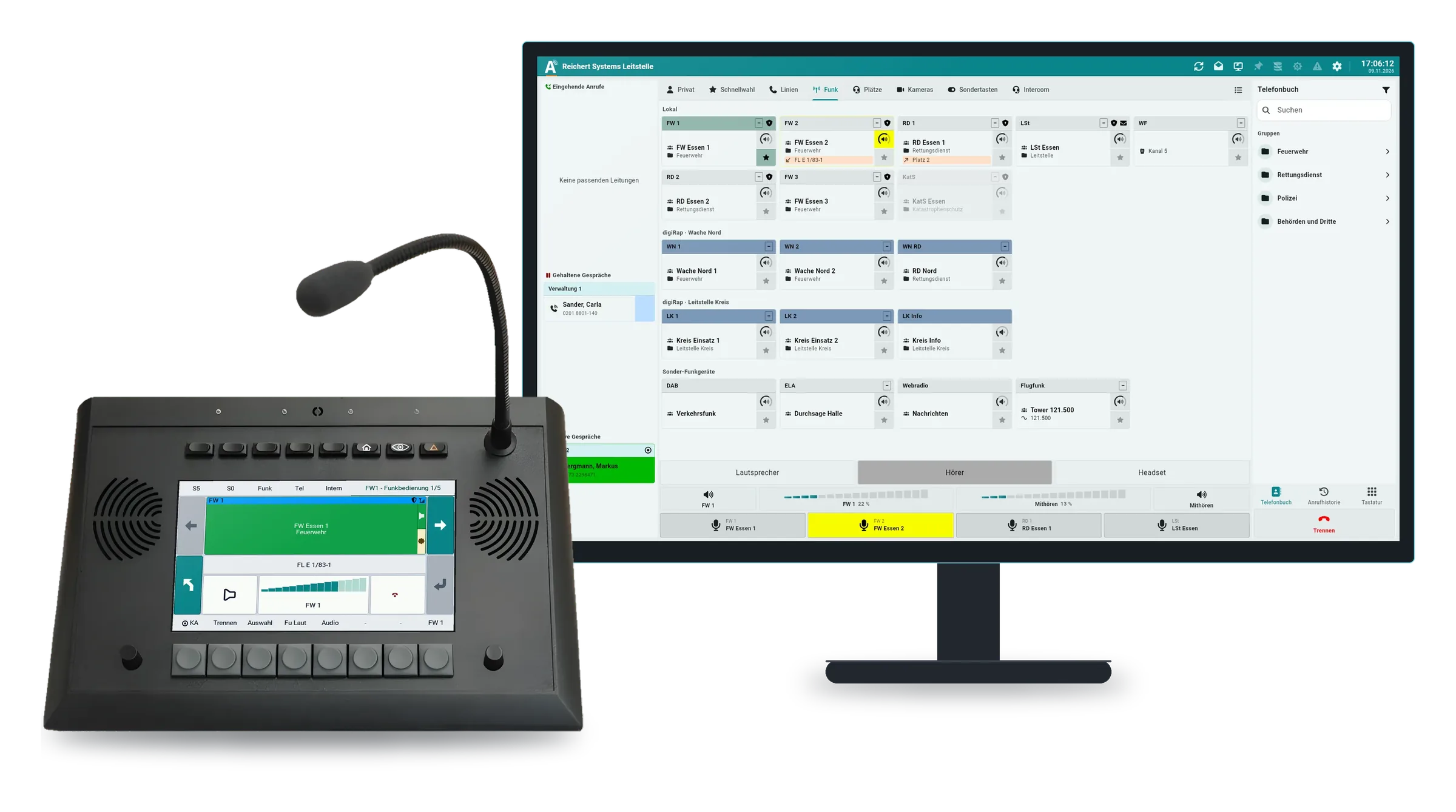
Choose where to operate: at the desk, on the monitor or in the vehicle. Operation stays the same, whatever radio is behind it.
7″ touch desk unit
Radio lines as tiles, PTT, loudspeaker and headset in one device, for desk and vehicle.
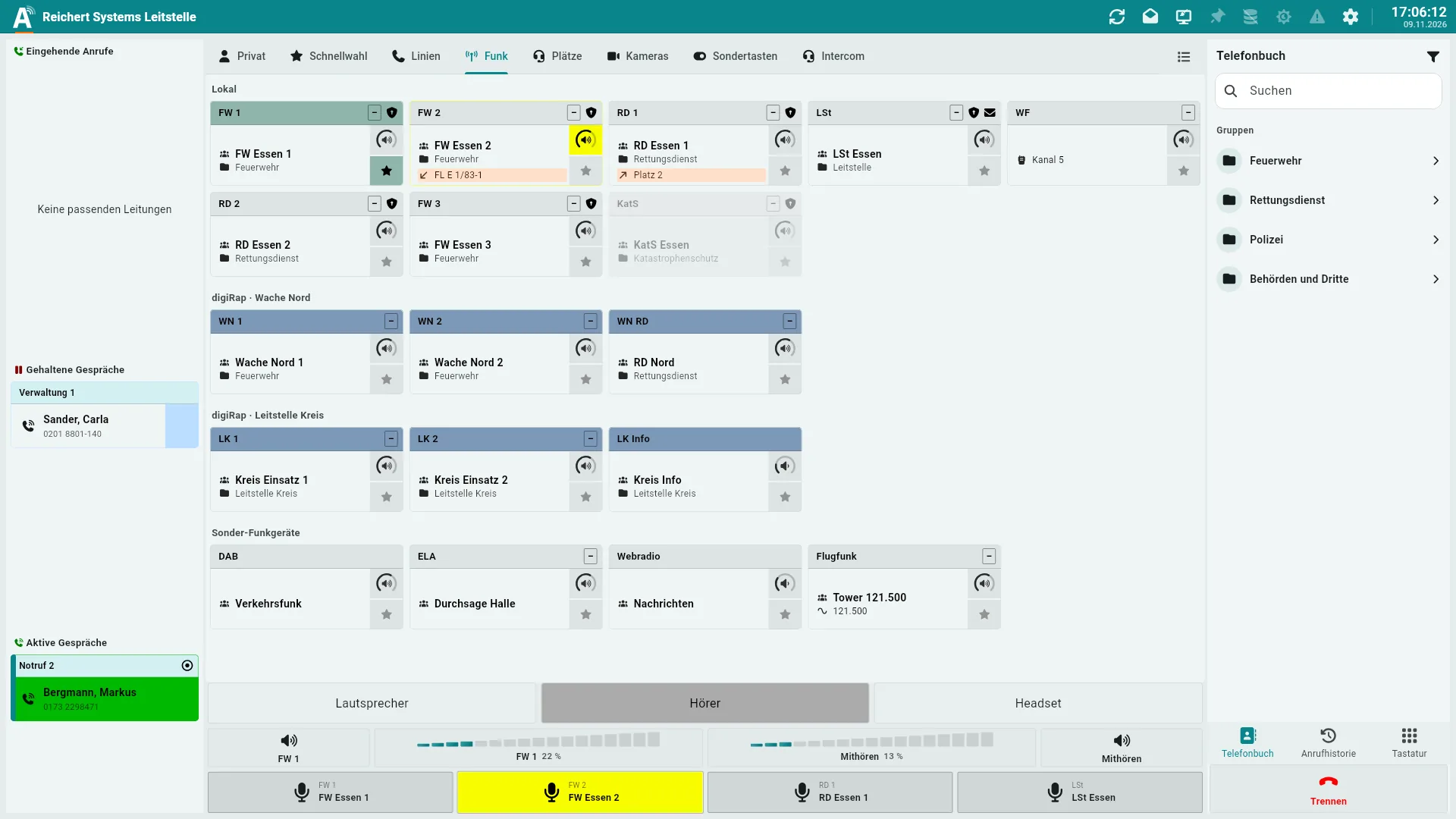
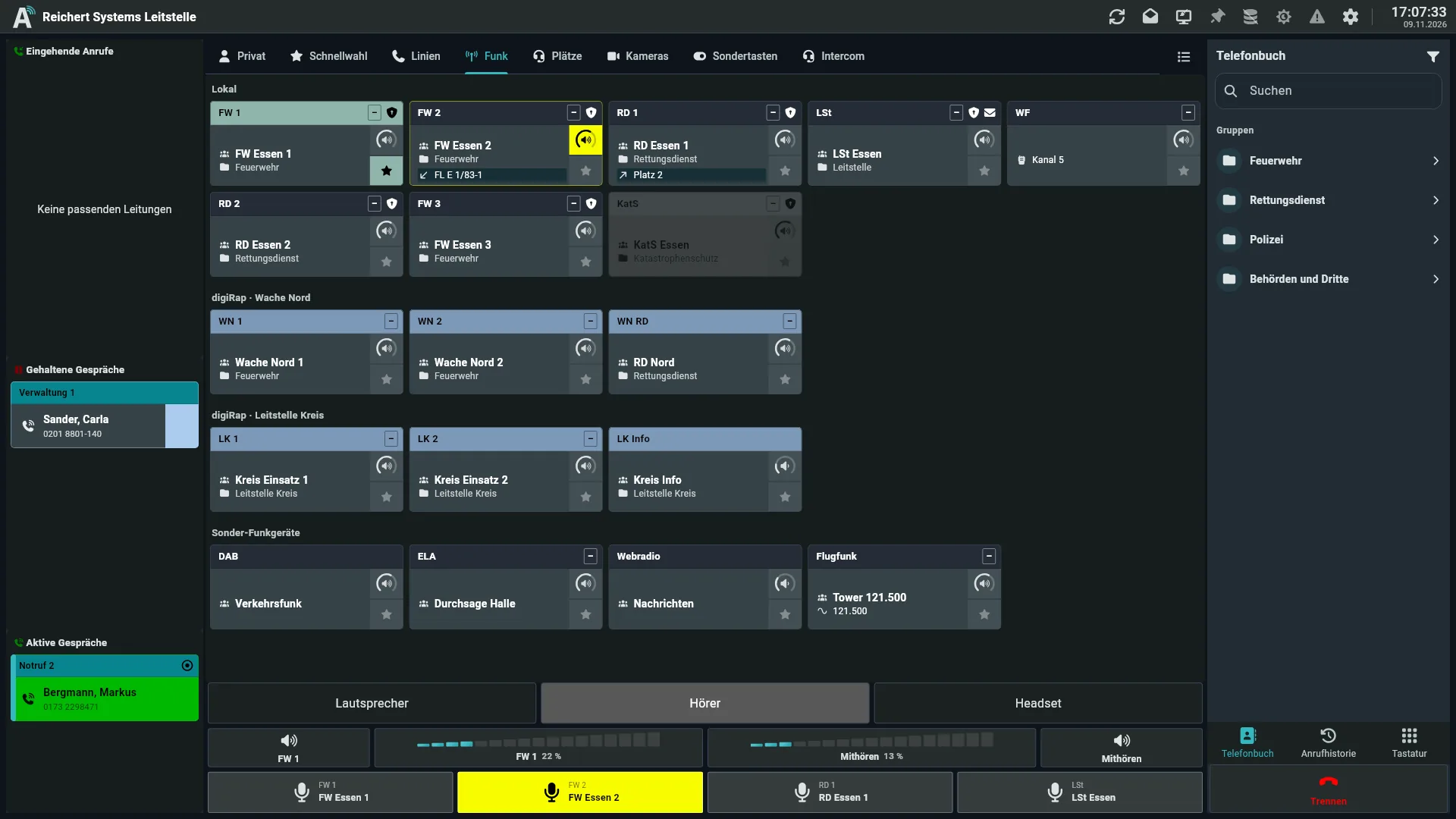
Every radio line on the monitor
Operator software for radio, telephony and video – on the PC, in the browser or as a large screen next to the UniKey. Multi-touch and several monitors.
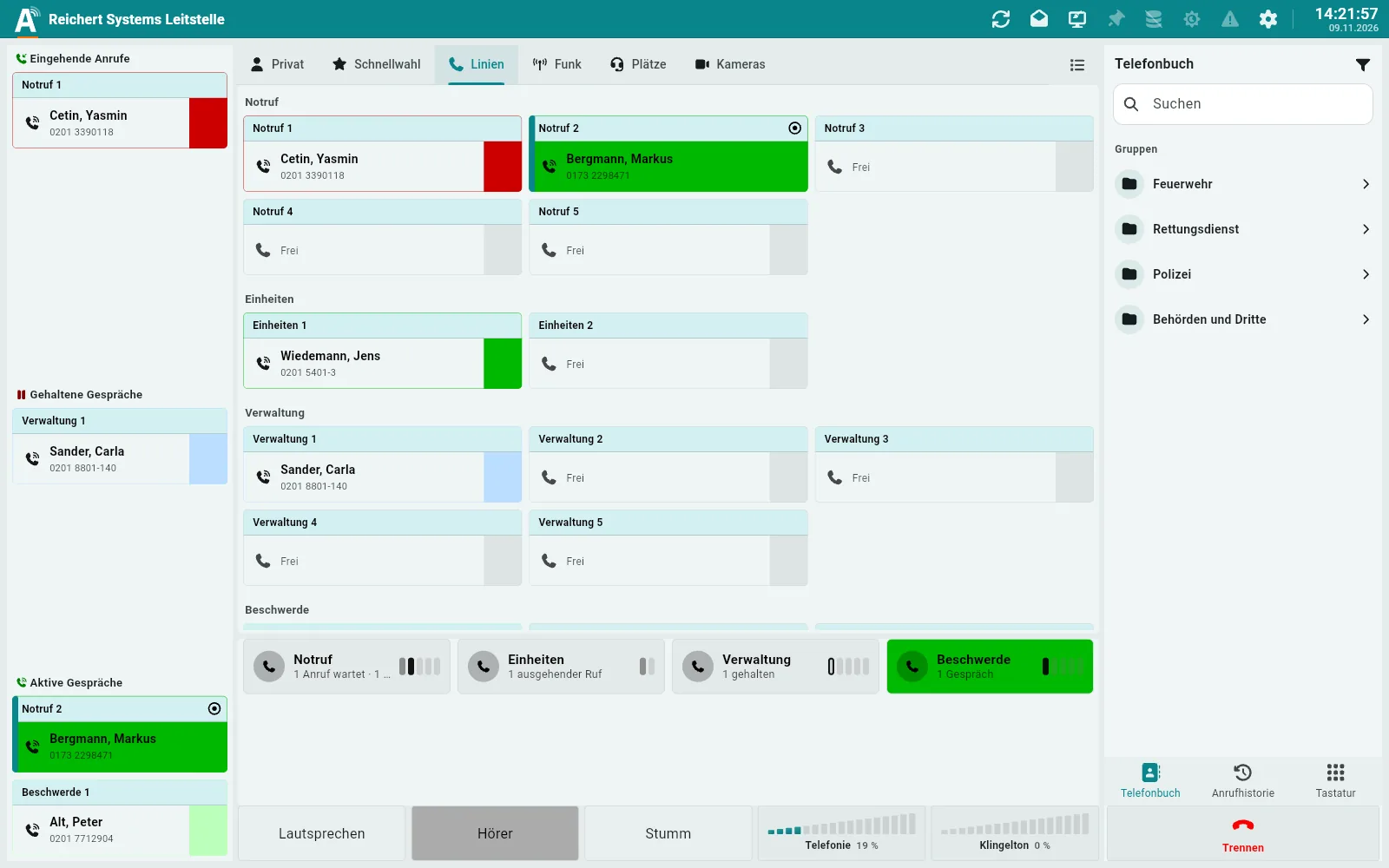
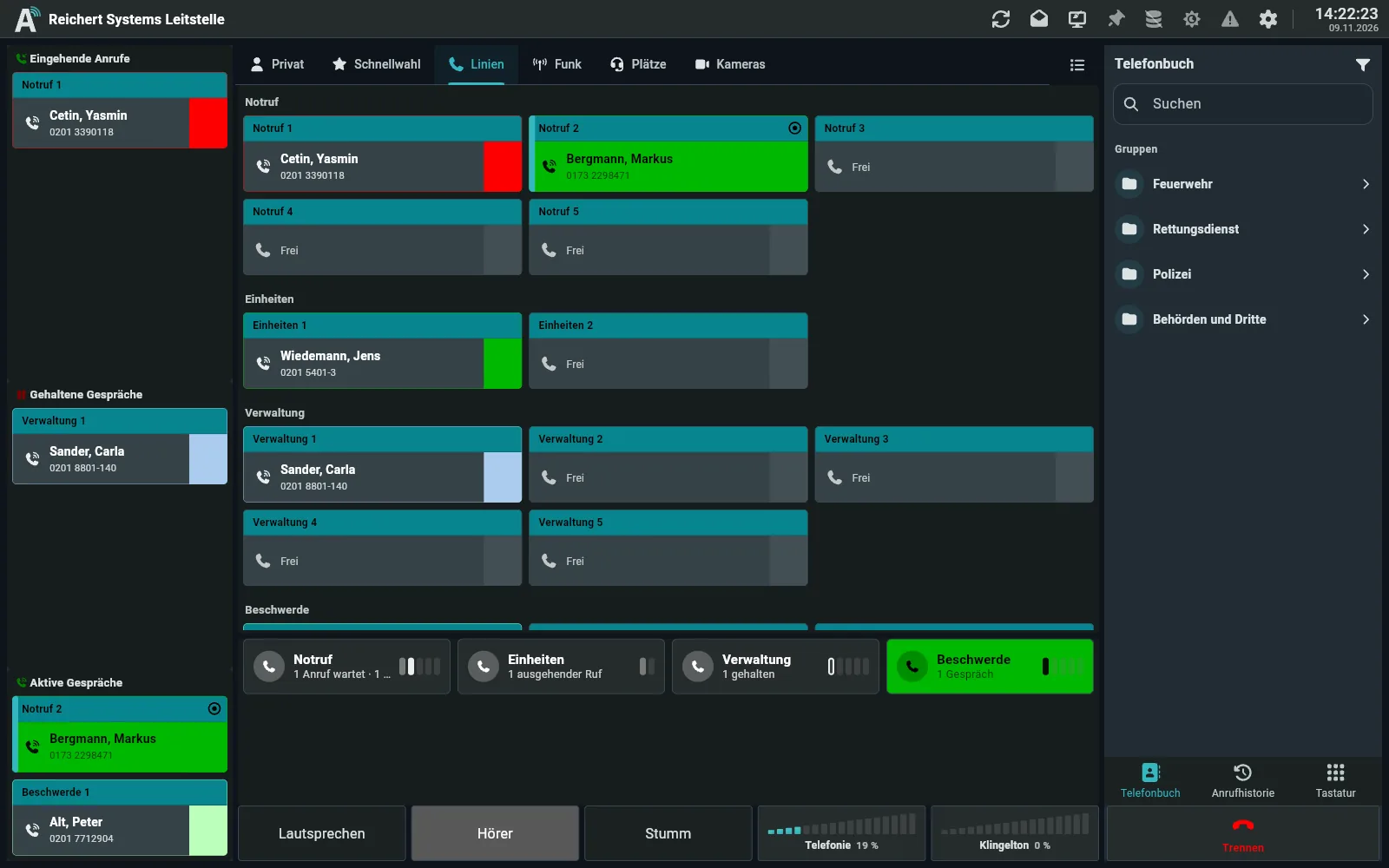
Workplace on the PC
AfVis on the PC, on the network at the BOS-Compact. Monitor of your choice, own audio processing, fail-safe.
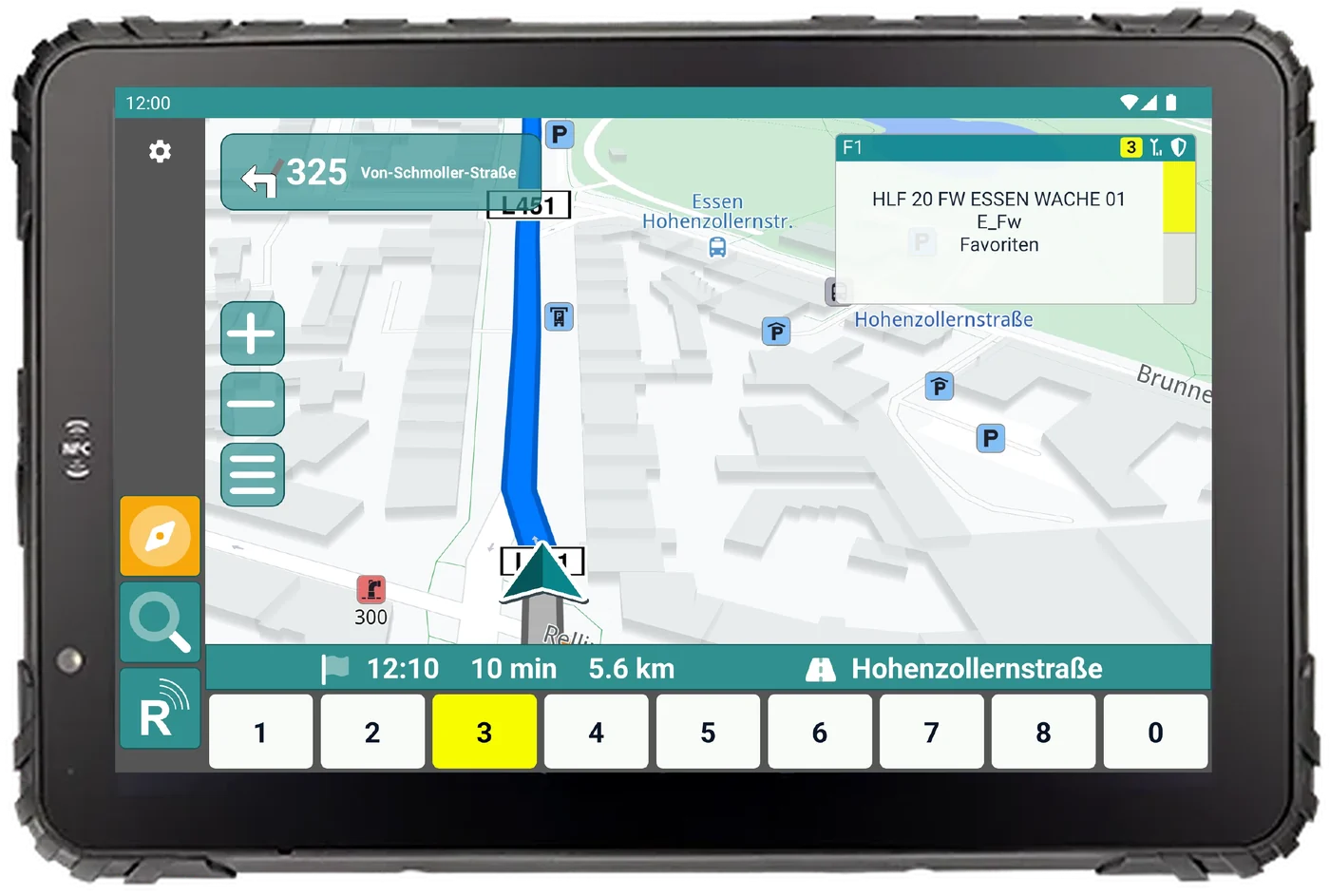
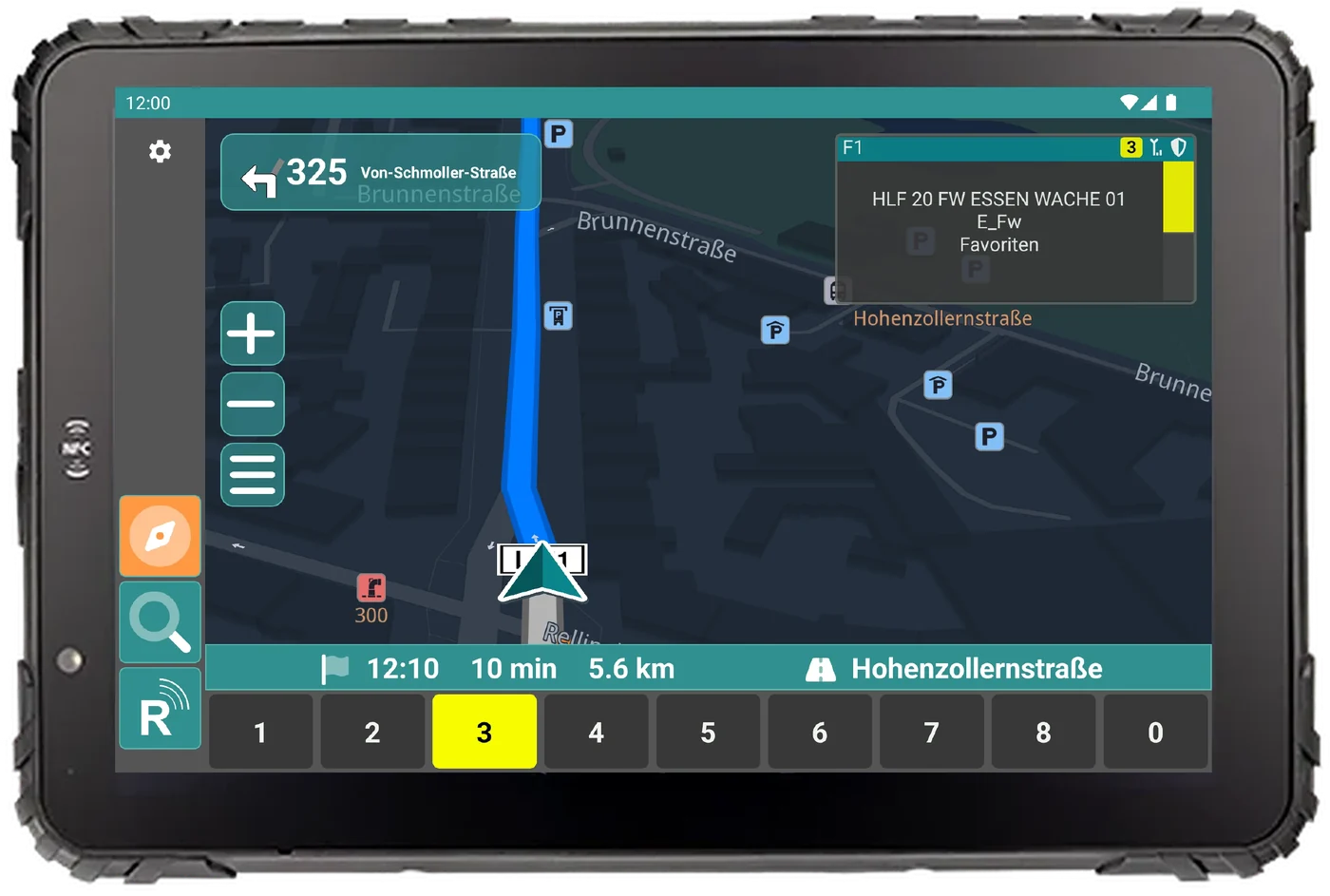
Radio in the vehicle
Navigation, radio and status on a rugged 8″ or 10″ tablet.
UniKey-TS3 + AfVis in 16:9
AfVis extends the UniKey desk units with additional functions on a monitor of any size. You keep operating radio, PTT and volume on the device. On the large monitor AfVis shows every radio line at a glance, plus phone book, camera images, intercom and special keys.
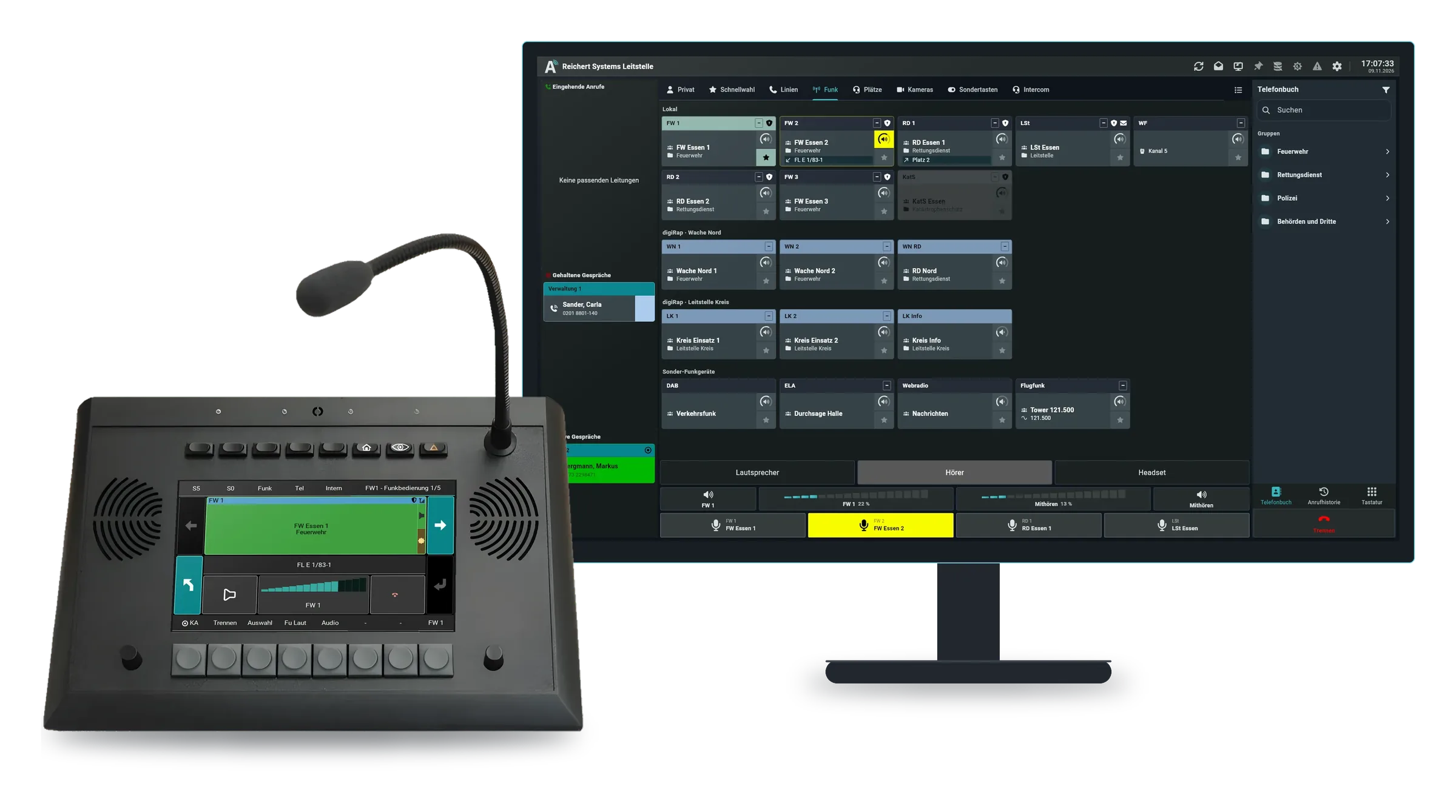
All paths meet in the same system. Which one fits depends on the radio and the functions you need.
Command vehicle, station, field case: typical systems with radio, workplaces and accessories.
Car based on a current electric SUV: only our navigation solution – one radio is connected to the existing vehicle navigation via UniKey-Navigator Connect.
View configurationCompact command car (KdoW) for the platoon commander, based on the Vito: one radio workstation behind the front seats with UniKey-TS3, BOS-Compact and a software workstation (AfVis on a notebook, audio through the ATL-IP module).
View configurationCommand vehicle (ELW1) at battalion level, in Sprinter size: two workstations with UniKey-TS3 and monitor, BOS-Compact, GSM, DECT and ELS, with a technology and equipment room behind them.
View configurationTell us manufacturer and type. We tell you which path fits and what is possible at the workplace.
Personally from Essen, answered as quickly as possible.